Operations platform · 2026 · in progress
Dark Horse Safety
An operations platform for an oilfield safety contractor. Field time arrives from GoCanvas, billing lives in NetSuite, and the hours in between are where the money leaks — so the product reconciles worked against billed, queues every exception, and blocks payroll until the paperwork exists. In progress.
Overview
Dark Horse provides safety technicians to oilfield operators. Field time is captured in GoCanvas, invoicing lives in NetSuite, and everything between them — approving hours, matching tickets to work orders, keeping certifications current — happens in spreadsheets and inboxes. The platform closes that gap, with the payroll cycle as the clock everything runs against.
A Turborepo split along strict lines: `apps/` holds only deployable things (the Next.js dashboard and the NestJS API), `packages/` holds everything shared (`ui`, `theme`, `types`, `api-client`, `assets`), and `tooling/` holds config. Apps never import from other apps, so a shortcut between CRM and Fleet is not available even under deadline.
Role
Full-stack — dashboard and API
Timeline
2026 · in progress
Stack
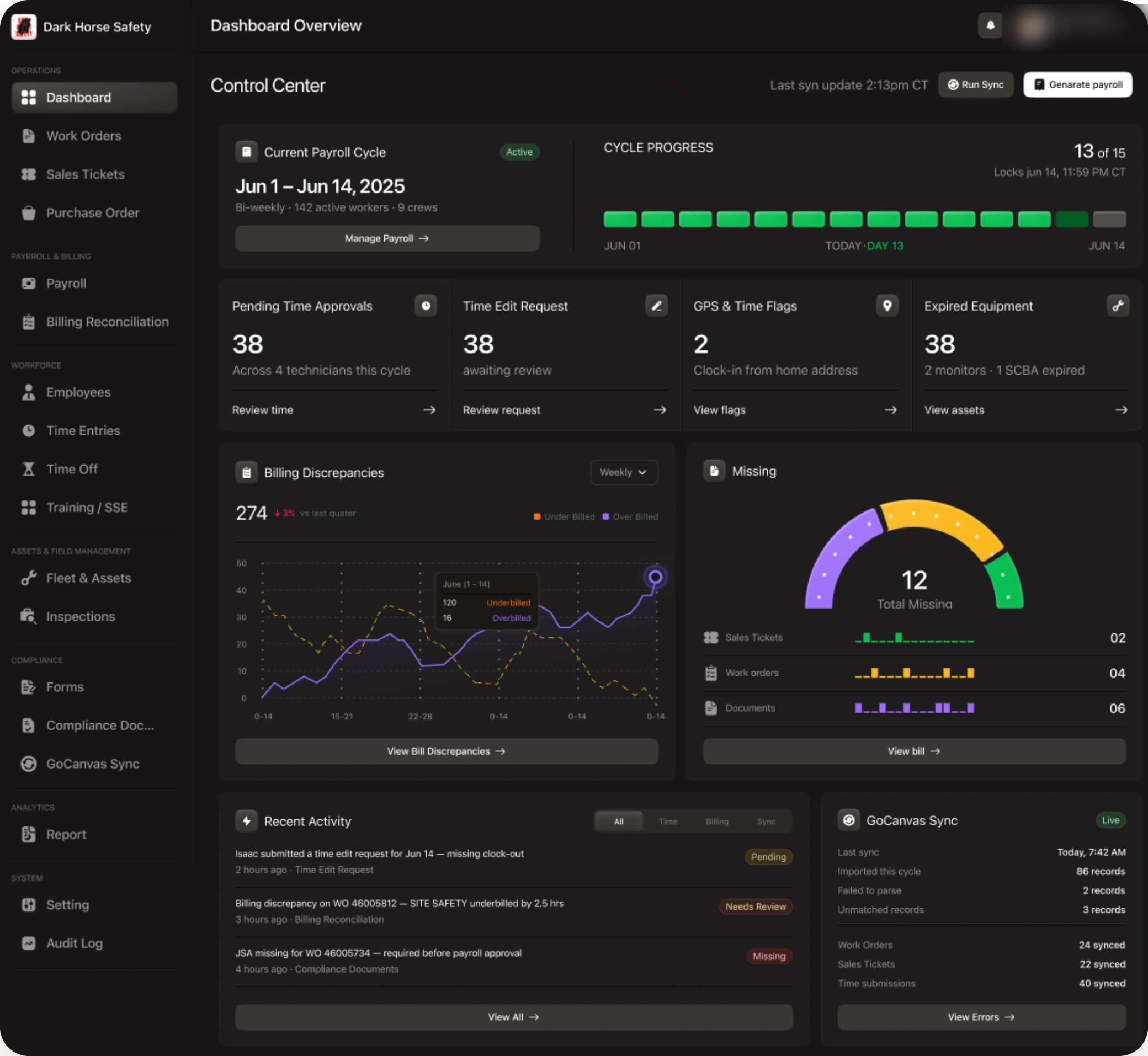
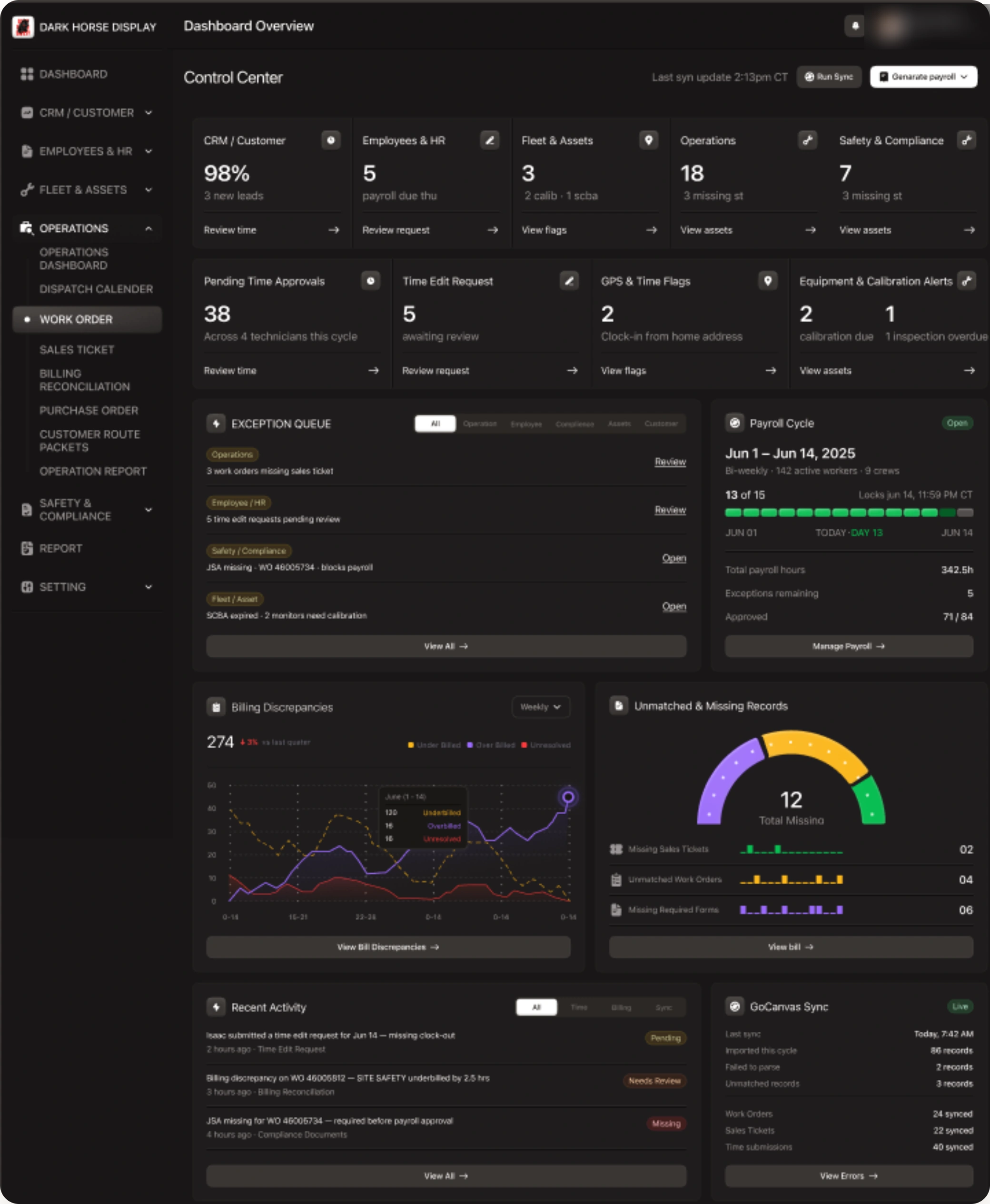
One screen that answers: can we run payroll yet?
The cycle is the unit of work — bi-weekly, a fixed lock time, and a fixed number of days to get everything clean before it closes. So the landing screen leads with where the cycle is and what is still in the way: time approvals outstanding, edit requests waiting, clock-ins that fired from a home address rather than a site, and equipment past its calibration or inspection date. Each one is a link to the queue that clears it, not a number to admire.
Sorted by who has to fix it
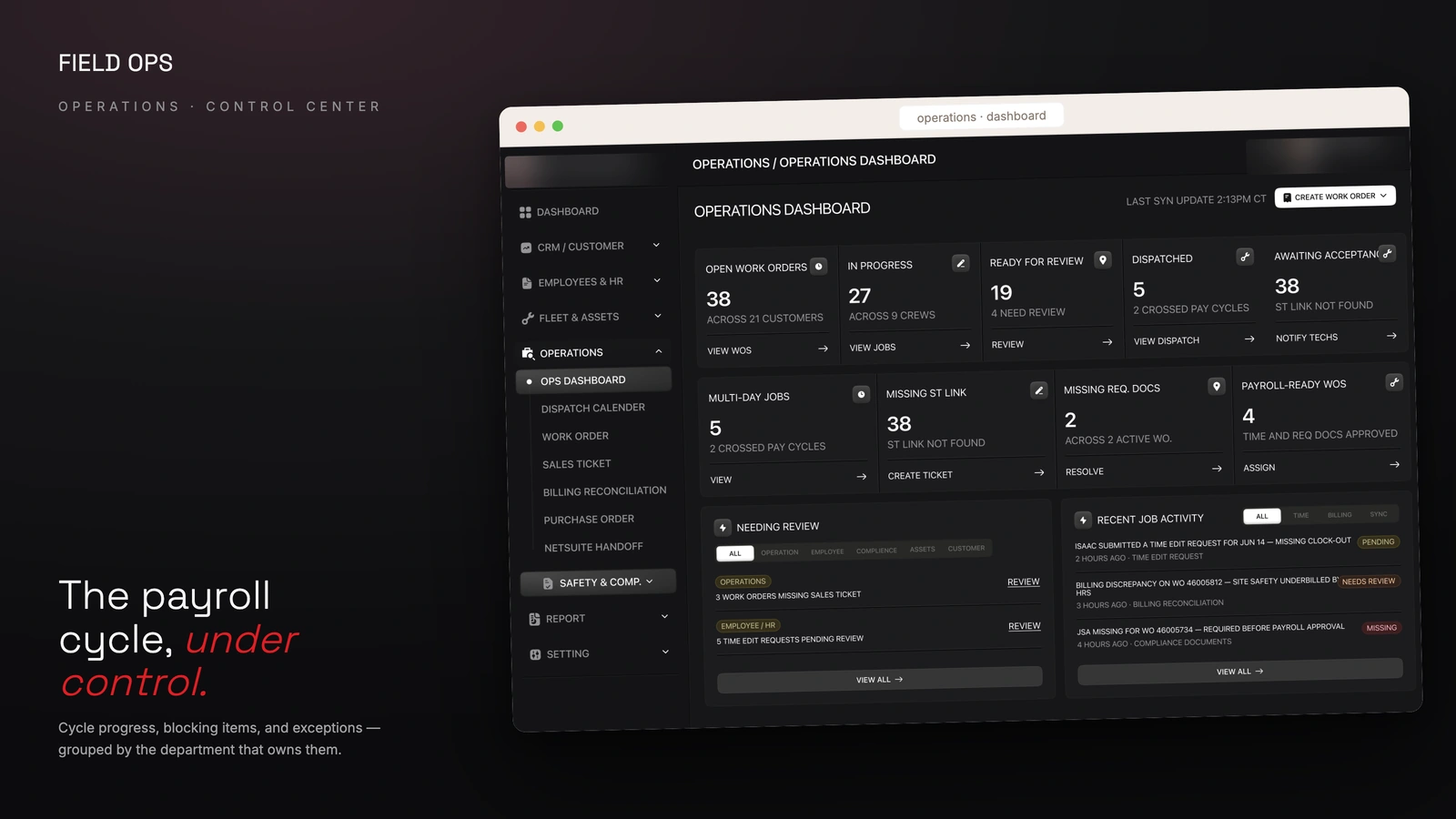
The same backlog grouped by the desk that owns it — operations, HR, compliance, fleet — because an admin chasing a missing safety form and an admin chasing an uncalibrated monitor are rarely the same person. The payroll card sits beside it carrying the only numbers that decide whether the cycle can close: hours booked, exceptions remaining, and how many timesheets are approved out of the total.
Where the money leaks
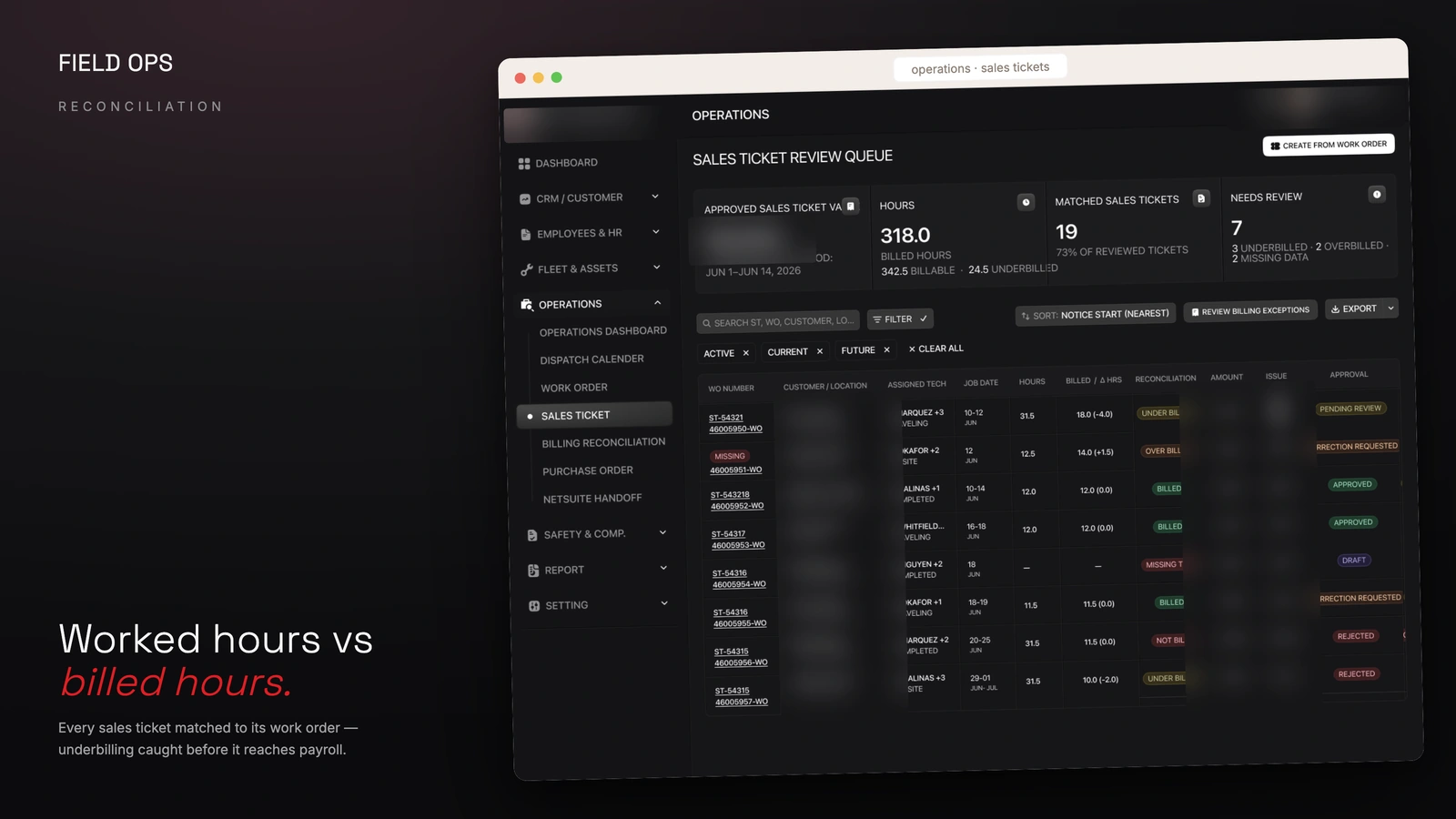
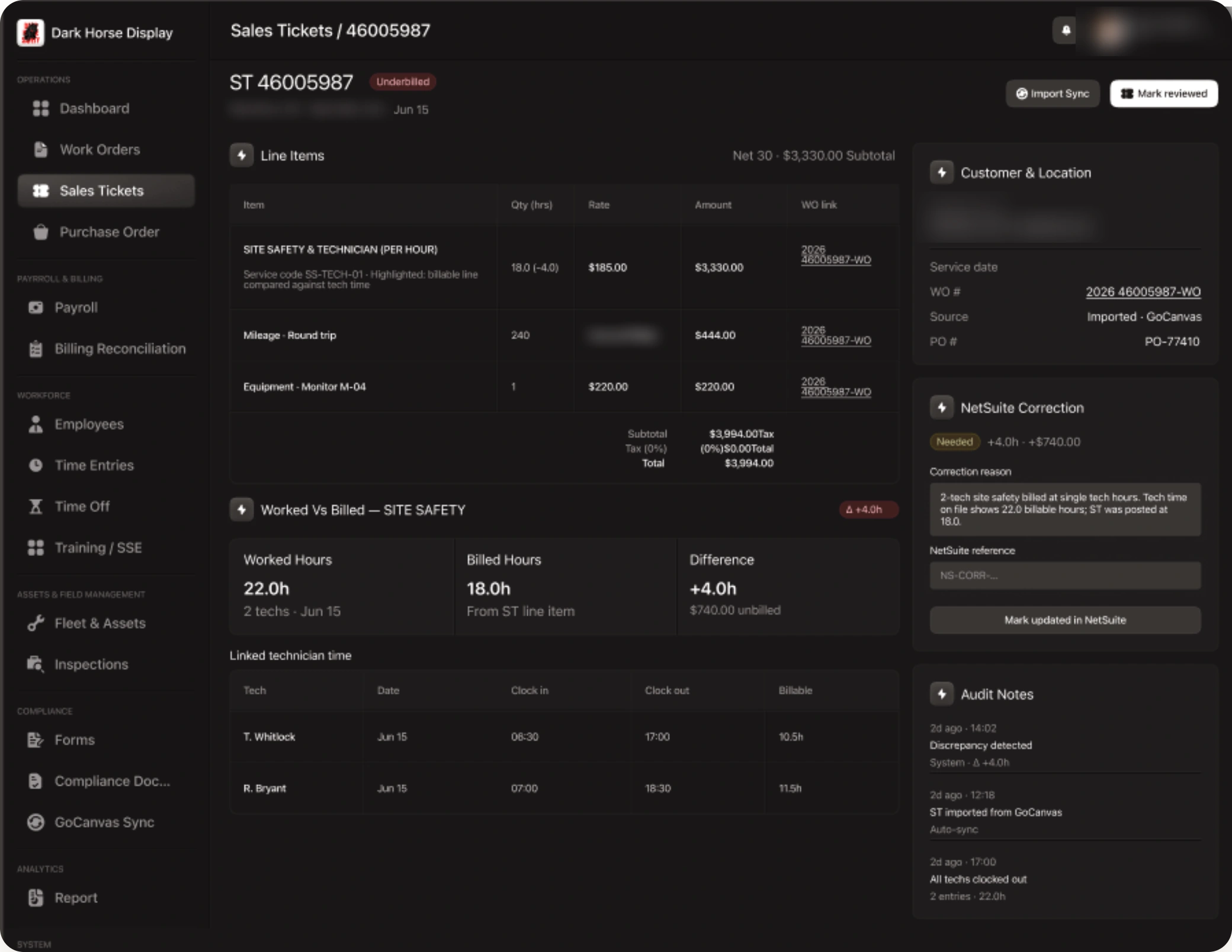
Time is captured in the field through GoCanvas; the sales ticket is raised separately and posted to NetSuite. When two technicians work a site and the ticket is written against one technician's hours, the difference is invisible in both systems and simply never invoiced. This screen puts worked hours and billed hours side by side, resolves the gap to a figure, and holds the correction — with its reason and its NetSuite reference — until someone confirms it was posted.
Where the hours actually come from
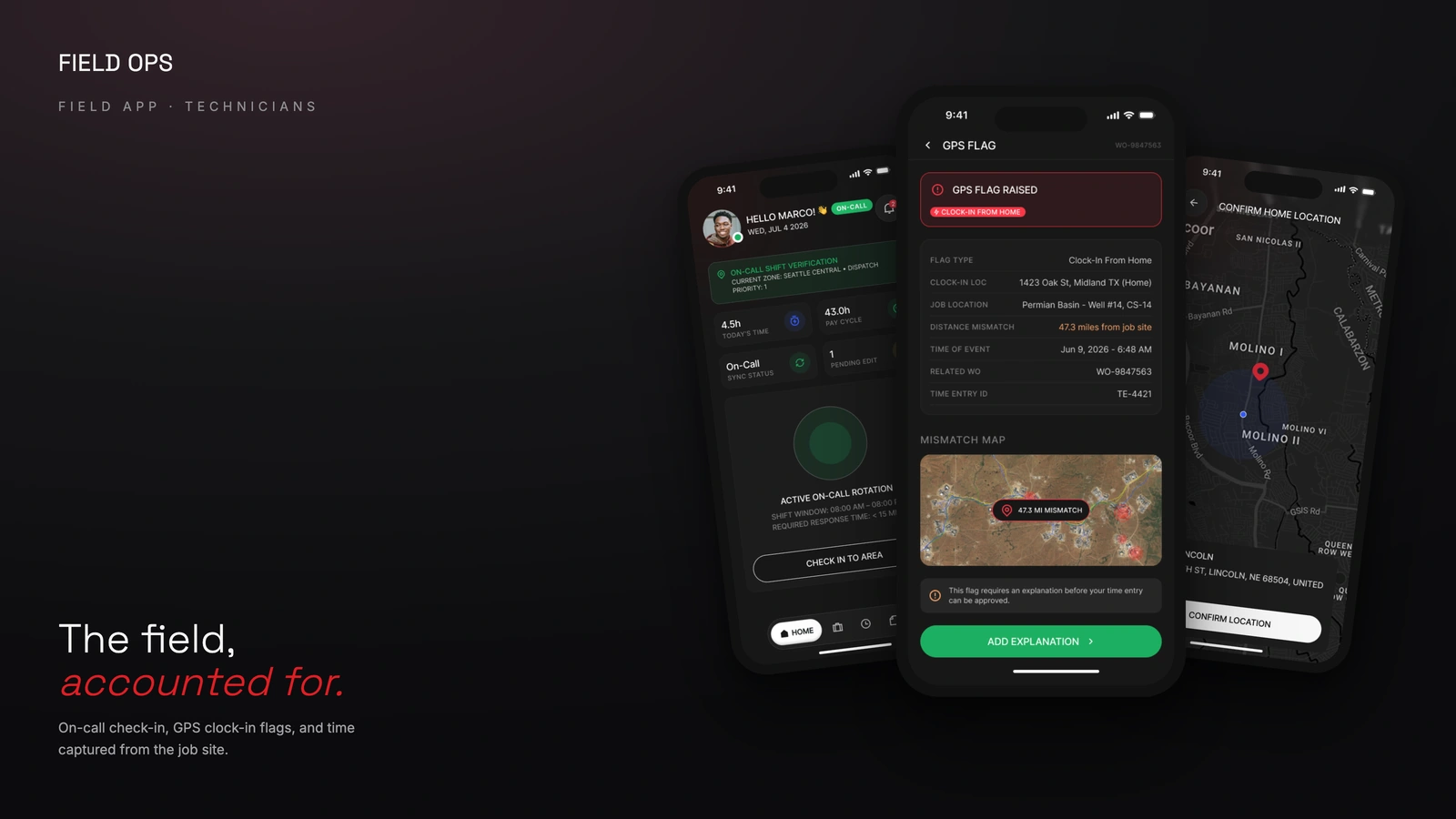
Technicians carry the other half of the system. On-call rotation is checked into from the phone, time is captured at the job site, and a clock-in that fires from a home address rather than a well pad raises a flag the technician has to explain before the entry can be approved — so the correction happens while the day is still fresh, not two weeks later when payroll is trying to close.
The roster, read as exceptions
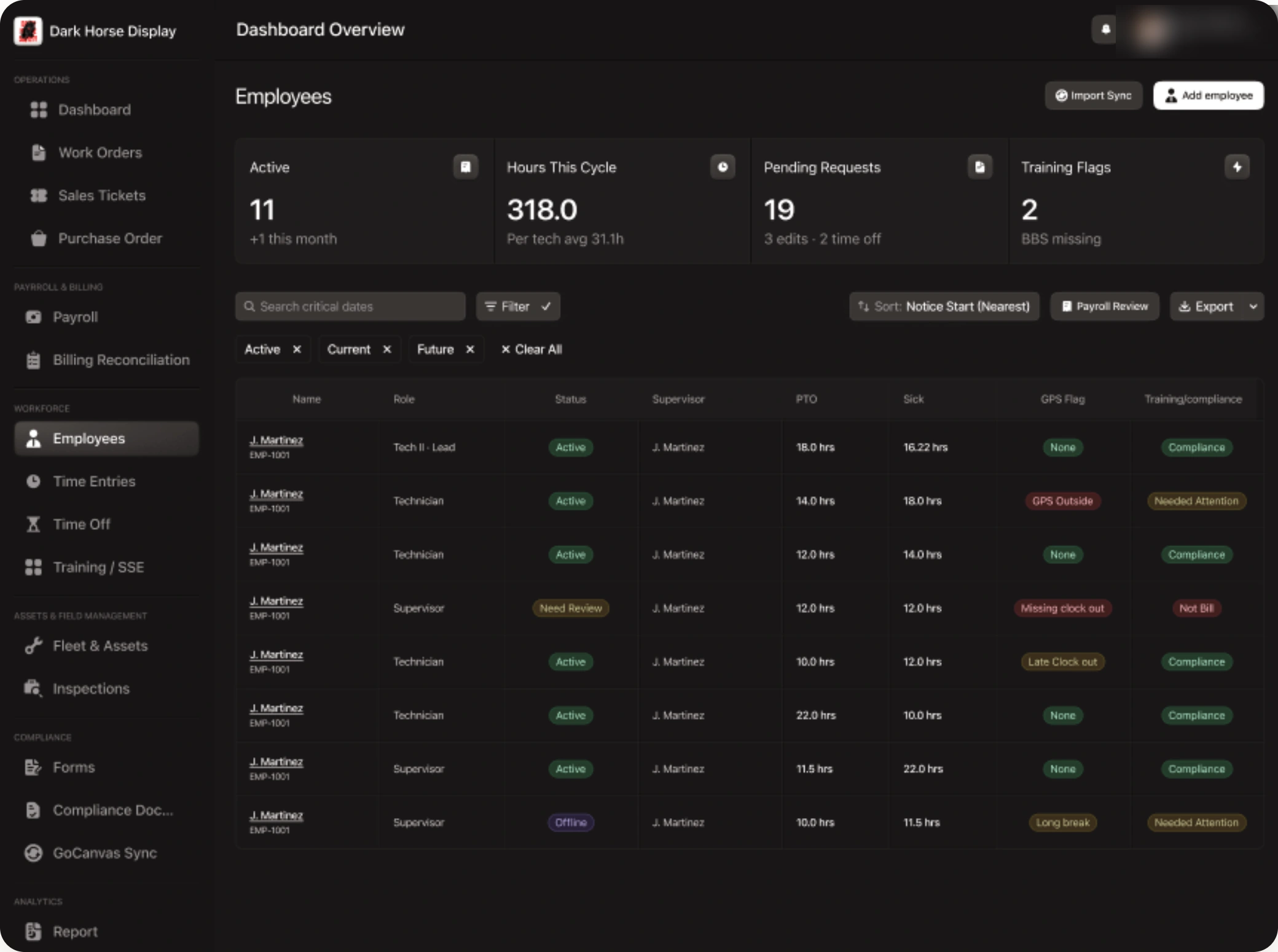
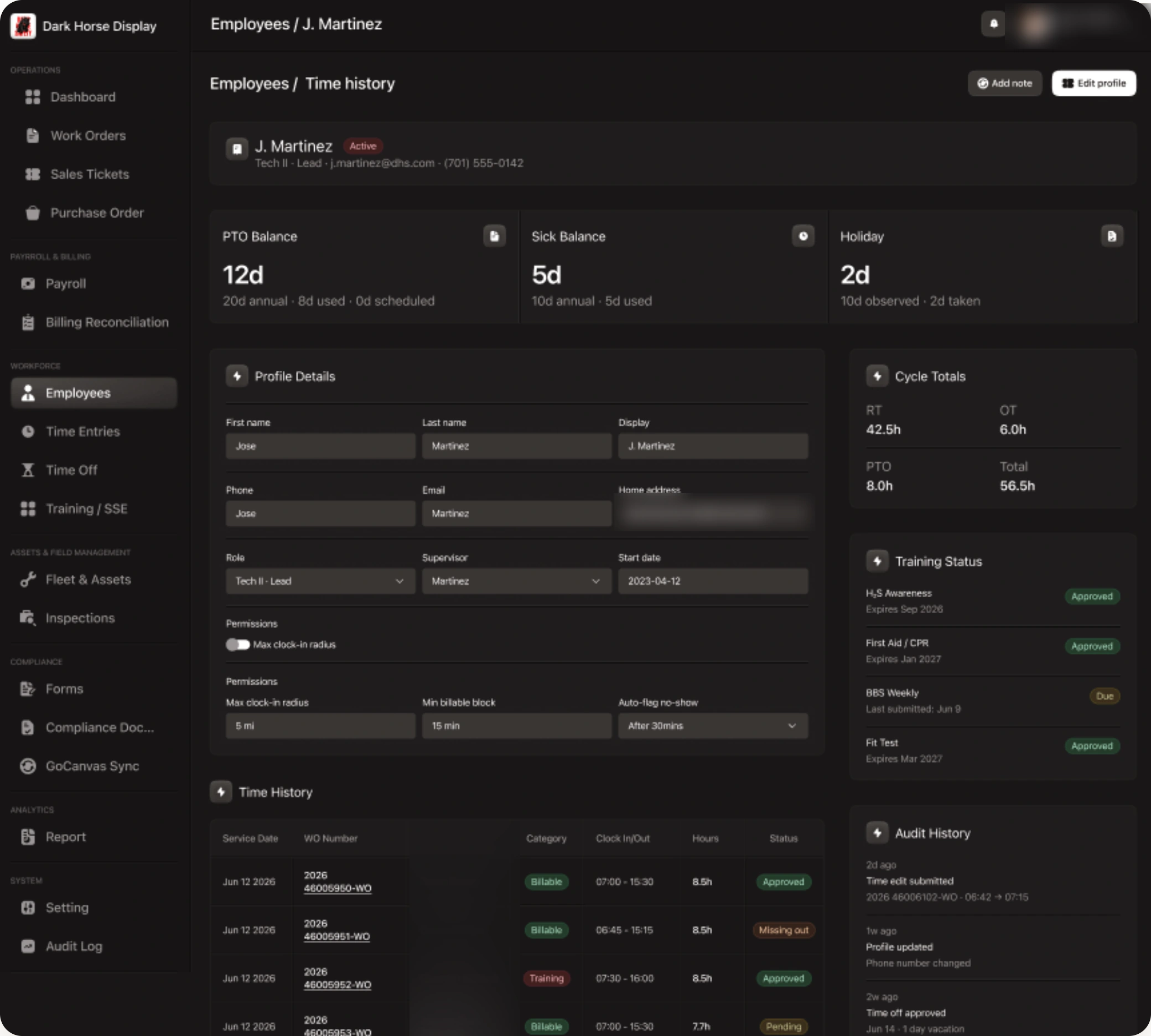
The employee list is a compliance view before it is a directory: every row carries its GPS flag, its training state and its outstanding balances, so the people who need attention surface without a search. A profile then holds the settings that generate those flags in the first place — the clock-in radius, the minimum billable block, the no-show threshold — next to the training certificates and their expiry dates, and a full audit trail of who changed what.
Accounts are issued, not signed up for
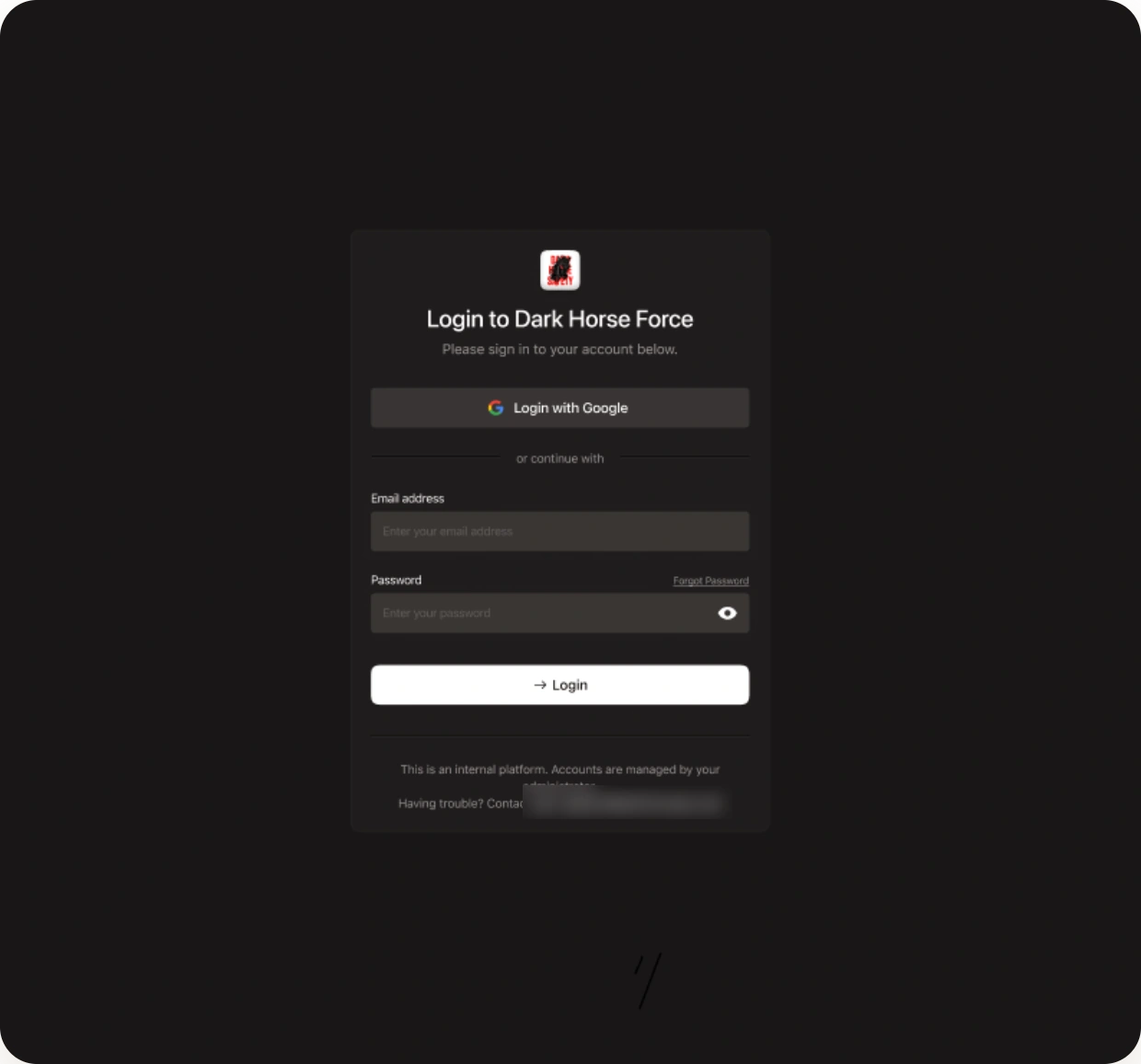
An internal platform holding payroll and personnel data has no public registration. Sign-in is Google SSO or email and password, and the account lifecycle behind it — activation, verification, reset, and an explicit locked state — is built as part of the product rather than bolted on at the end. The screen says plainly that accounts come from an administrator, so nobody hunts for a sign-up link that will never exist.
The challenge
What made it hard
The expensive failure is silent. A ticket written against one technician's hours when two worked the site is not rejected by GoCanvas or by NetSuite — it simply invoices short, and nothing in either system reports it. Catching that means holding worked hours and billed hours in one place and treating the difference as a first-class record.
Five domains in one dashboard is how admin tools become five inconsistent apps sharing a sidebar. Keeping them one product means the shared layer has to be real, not aspirational.
It is an internal tool holding operational and personnel data, so the account lifecycle — activation, lockout, reset, verification — is part of the product rather than an afterthought bolted on at the end.
Approach
How it was built
The look is a single design token set in `@dark-horse-safety/theme` — a near-black surface stack with white primary actions and one red accent — imported once by Tailwind v4 rather than re-declared per app.
Auth is NestJS and Prisma over Postgres with the full account lifecycle built out: activation, email verification, password reset with its own check-inbox and set-new steps, and an explicit account-locked state.
Work is planned as ten modules — authentication, dashboard, operations, employees, safety and compliance, fleet, settings, reports, CRM and forms — each estimated and sequenced so the integration-heavy operations module lands on a shell that already exists.
Outcome
What shipped
In progress. Authentication, the dashboard shell and the design system are built; the operations, workforce, compliance and fleet modules are being filled in against a ten-module plan.
Want something like this?
Tell me what you're building and I'll tell you honestly how I'd approach it. Replies within hours.
Prefer email? Write to me directly at — it reaches the same inbox.